Training Setup guide
From the box to your first analysed swing
Set up the mat, the strike target and your phone once. Then the app films every swing and shows you what to fix.
Part I · The setup
Ready to swing in 5 minutes

One rule: hit the center of the target
The strike target stands in for the ball. Swing through it the way you would hit a ball on a tee, and the mat takes the full swing.
- 2 inStrike height: the center of the target sits 2 in (5 cm) above the mat.
- 10 ftPhone distance: the tripod stands 10 feet (3 m) away from you.
- 15 minShort sessions every day work better than a long one now and then.
Normal, not broken
Why the target pops out
The target is built to stay in when you hit its center, 2 in (5 cm) above the mat. Catch it lower, near the mat, and it pops out on purpose, for your safety. It also tells you something: your club came in too low.
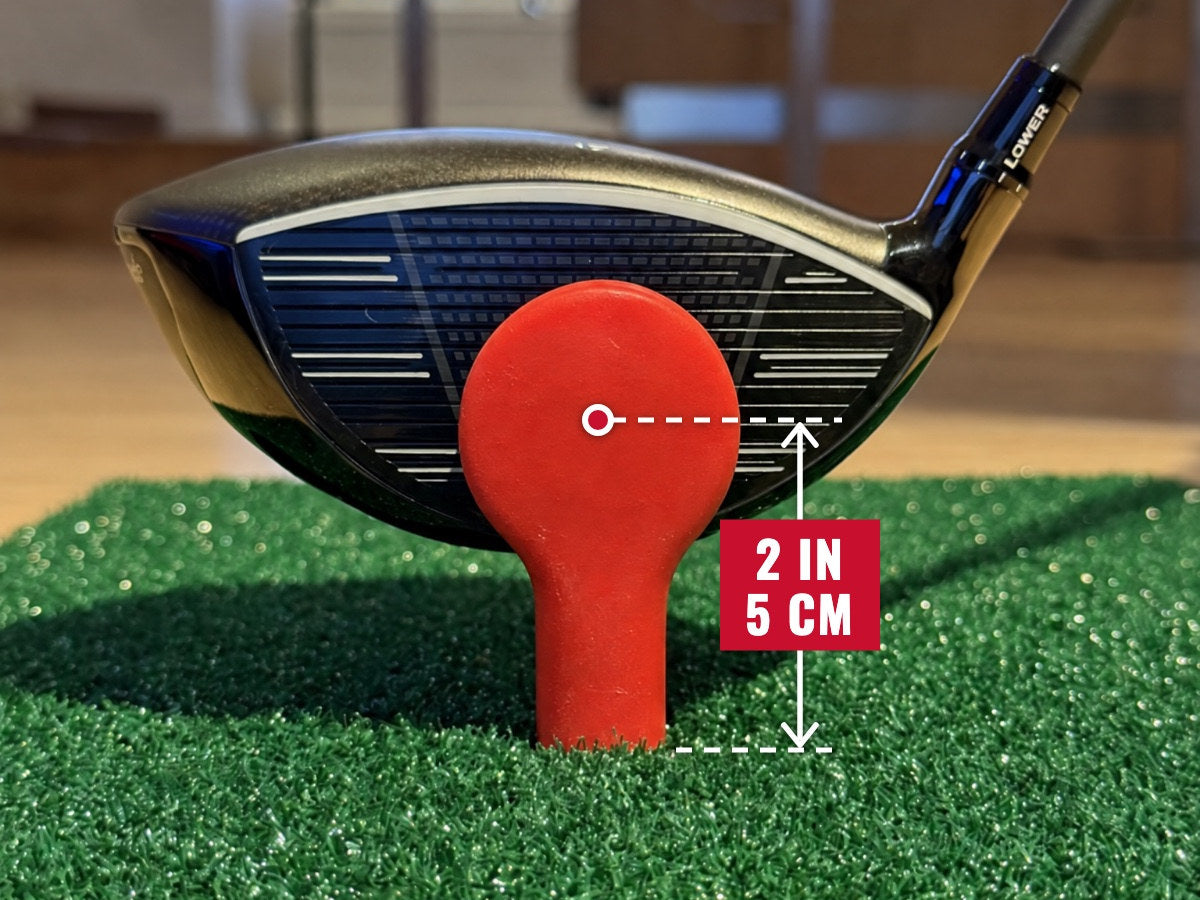
You hit the center
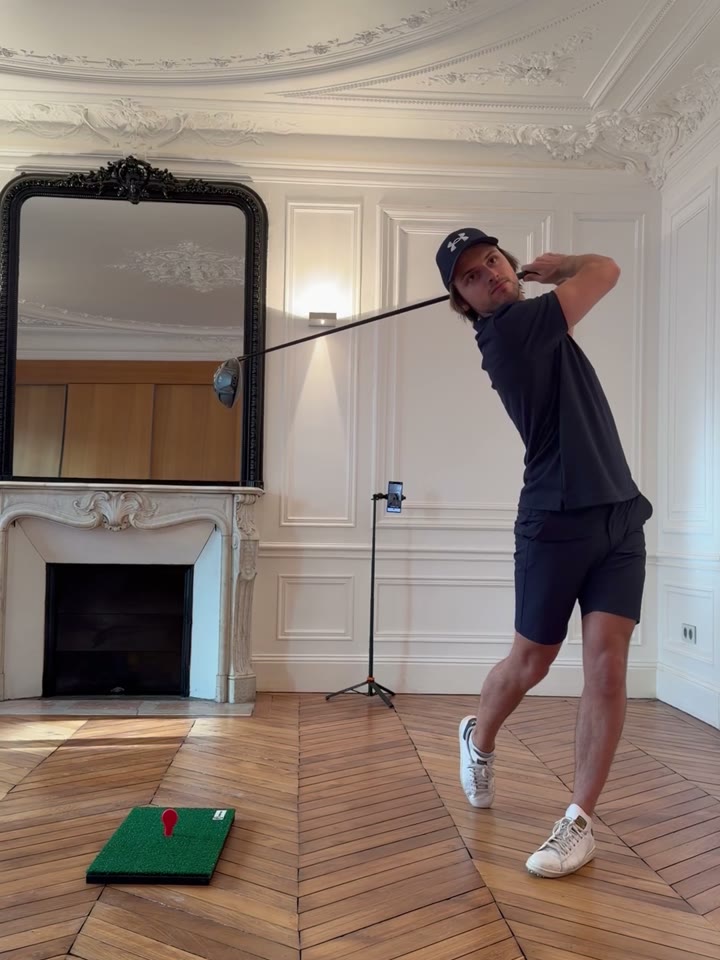
The club meets the target 2 in above the mat, where a ball on a tee would sit. The target takes the hit and stays in the mat.
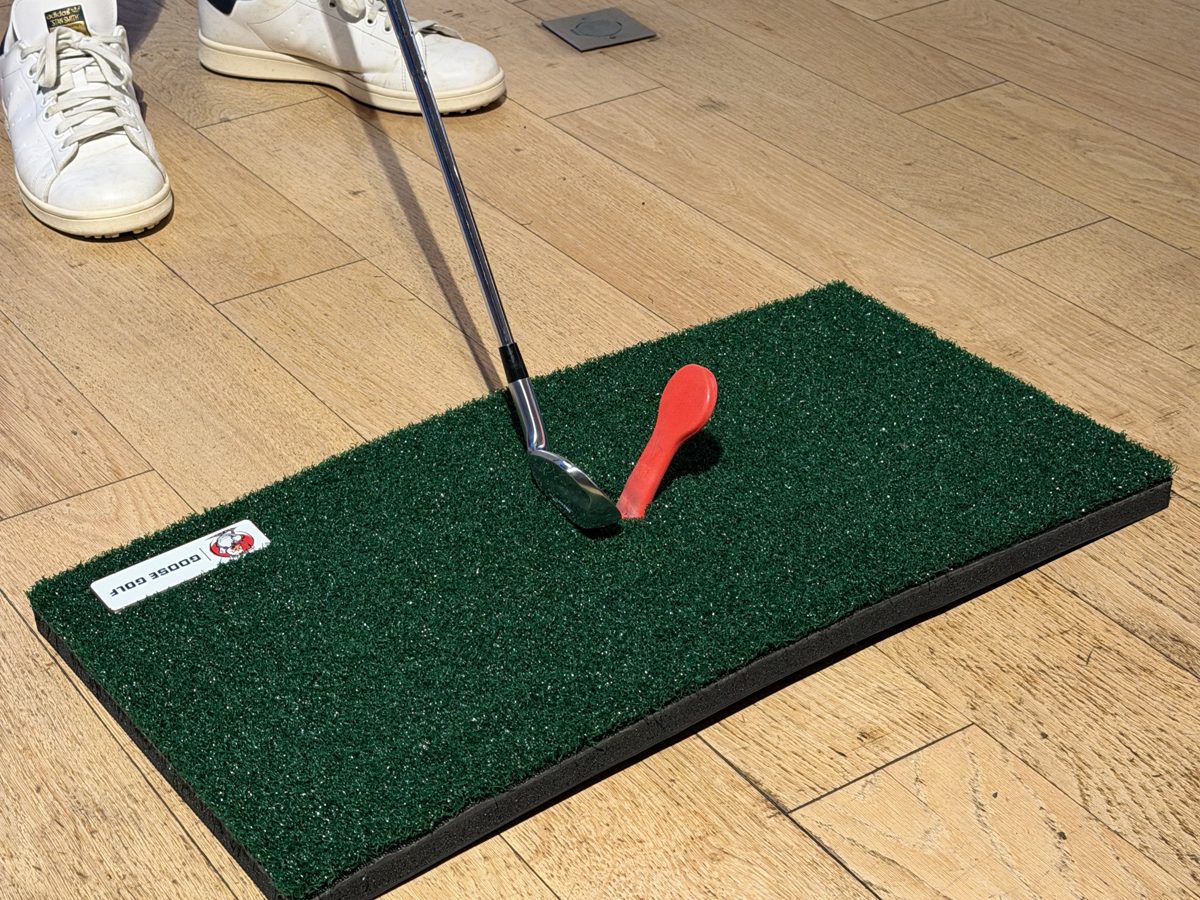
You hit too low
The club catches the target near the mat, below the center. The target comes out of the mat and lands next to it. Nothing is broken.
- Push it back in. Press the target firmly into the hole of the mat.
- Check it is secure before you swing again.
- Aim a little higher, at the center of the target. Start with a slow practice swing.
How to set up and use, step by step

Get the app
Scan the QR code to download Goose Golf on the App Store or Google Play (iOS 17+, Android 8.0+). Use the code inside the box to unlock the app.
Full walkthrough in part II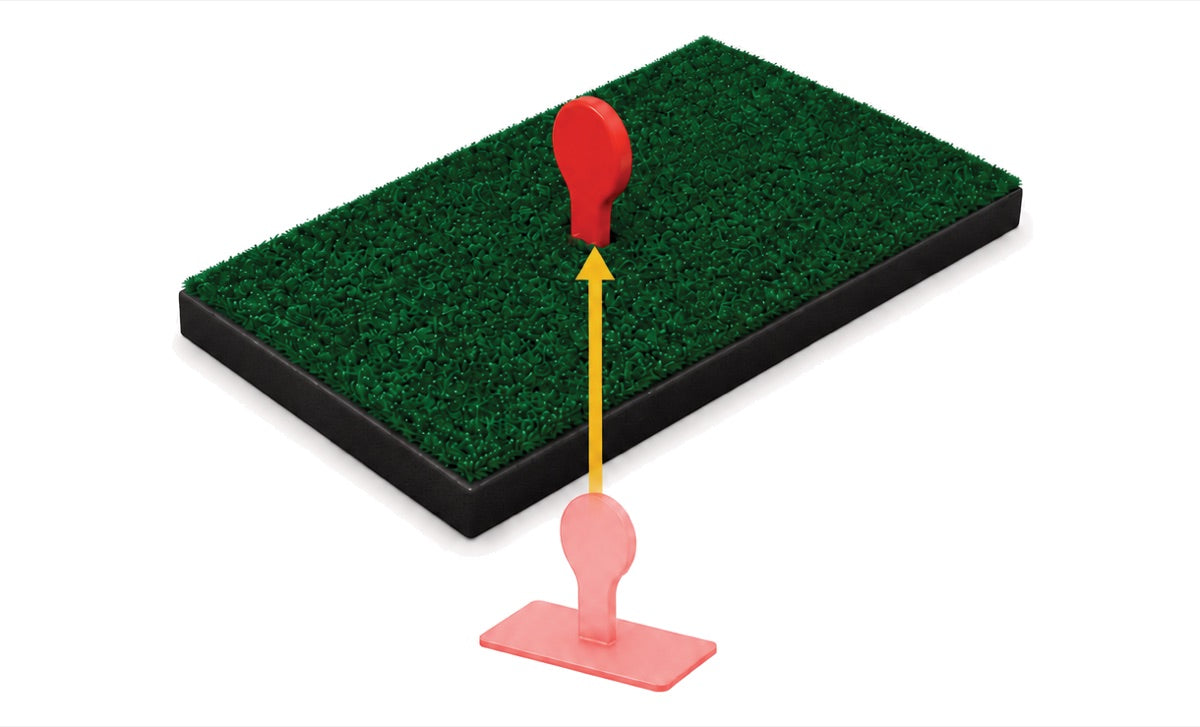
Fit the strike target
Fit the strike target into the mat. Check it is secure before every session.
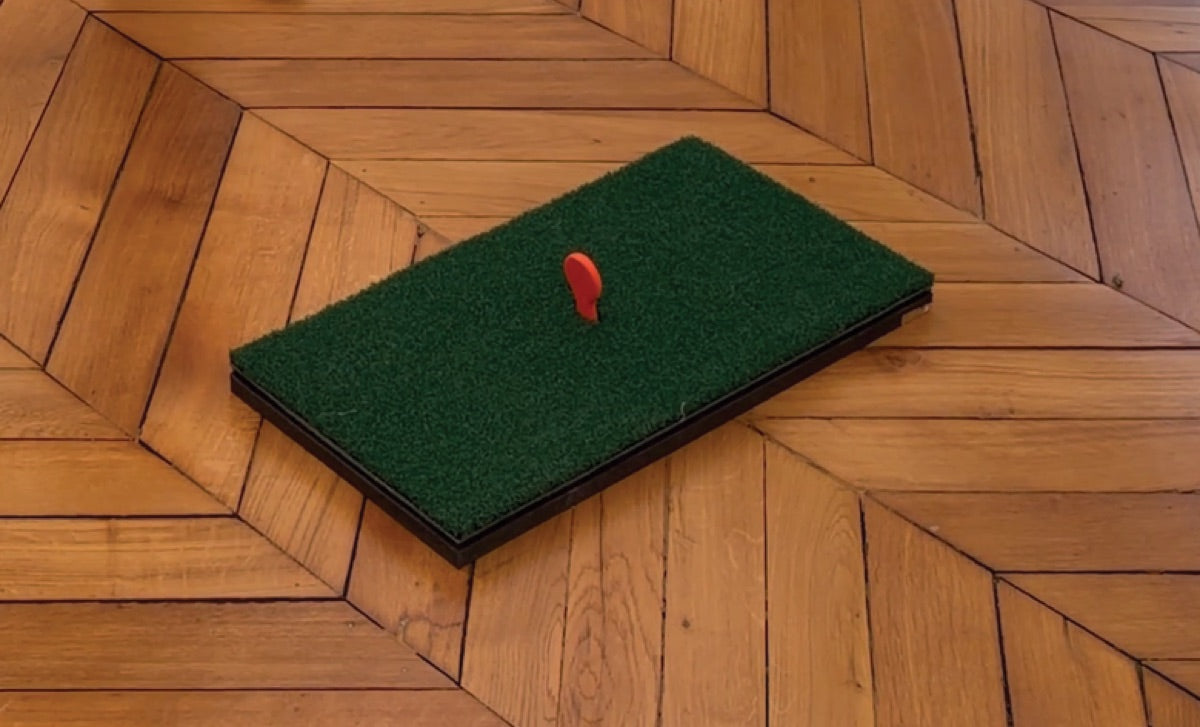
Lay out the mat
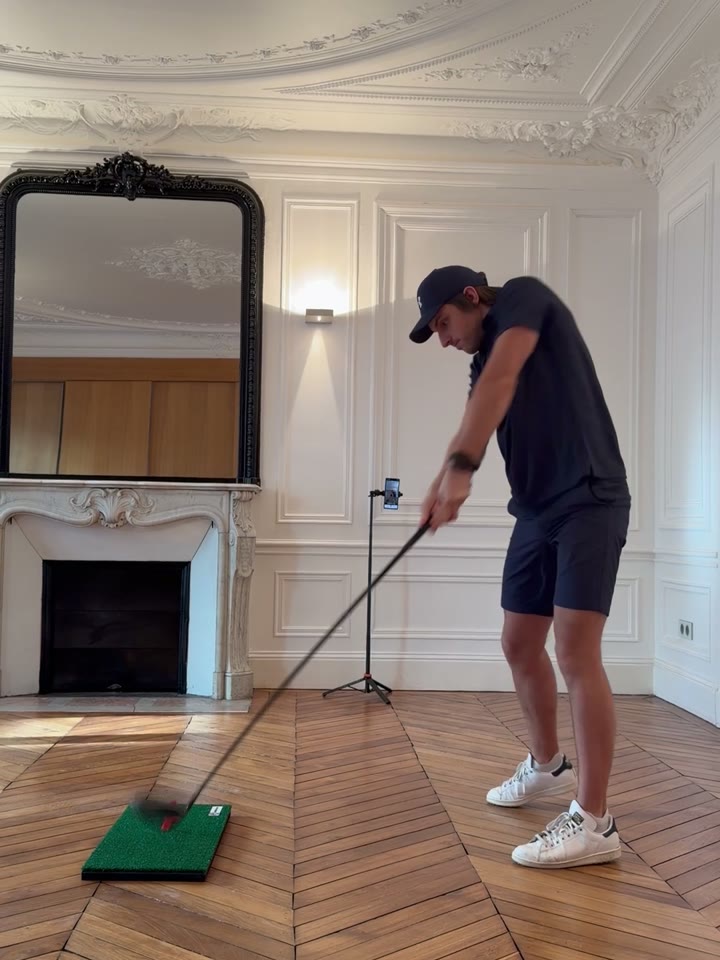
Place the mat flat on the floor, in a room where your longest club clears the ceiling. Keep people and pets out of the swing area.
Set up your phone
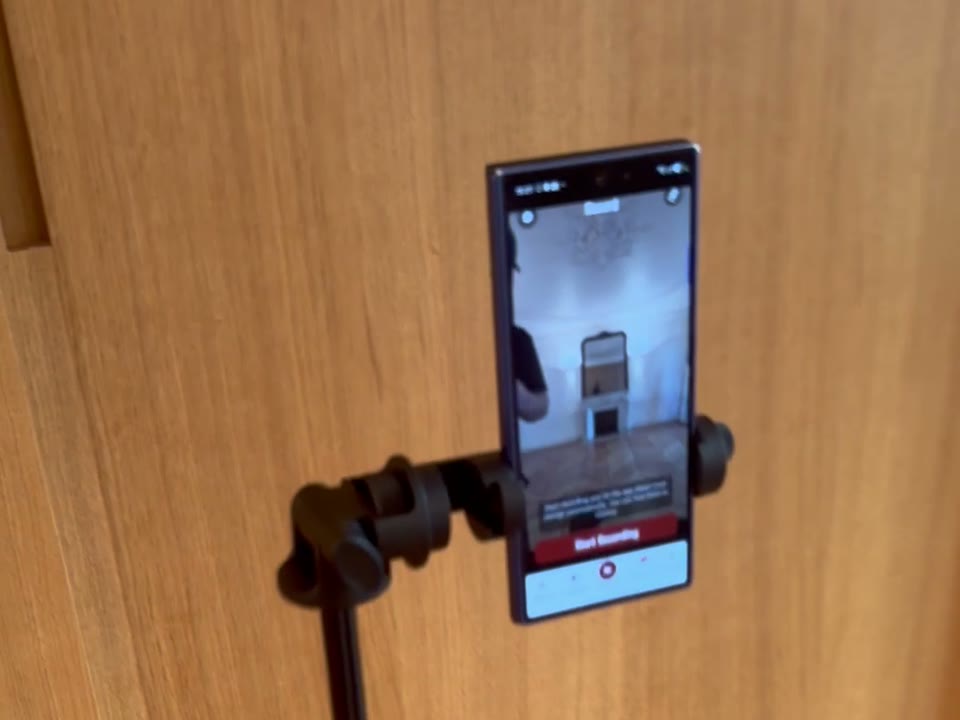
Put your phone on the tripod 10 feet (3 m) away, with your whole body, the club and the mat in frame.
Hit the center
Swing through the center of the target, 2 in (5 cm) above the mat, like a ball on a tee. Start with a slow practice swing.
Film, review, improve
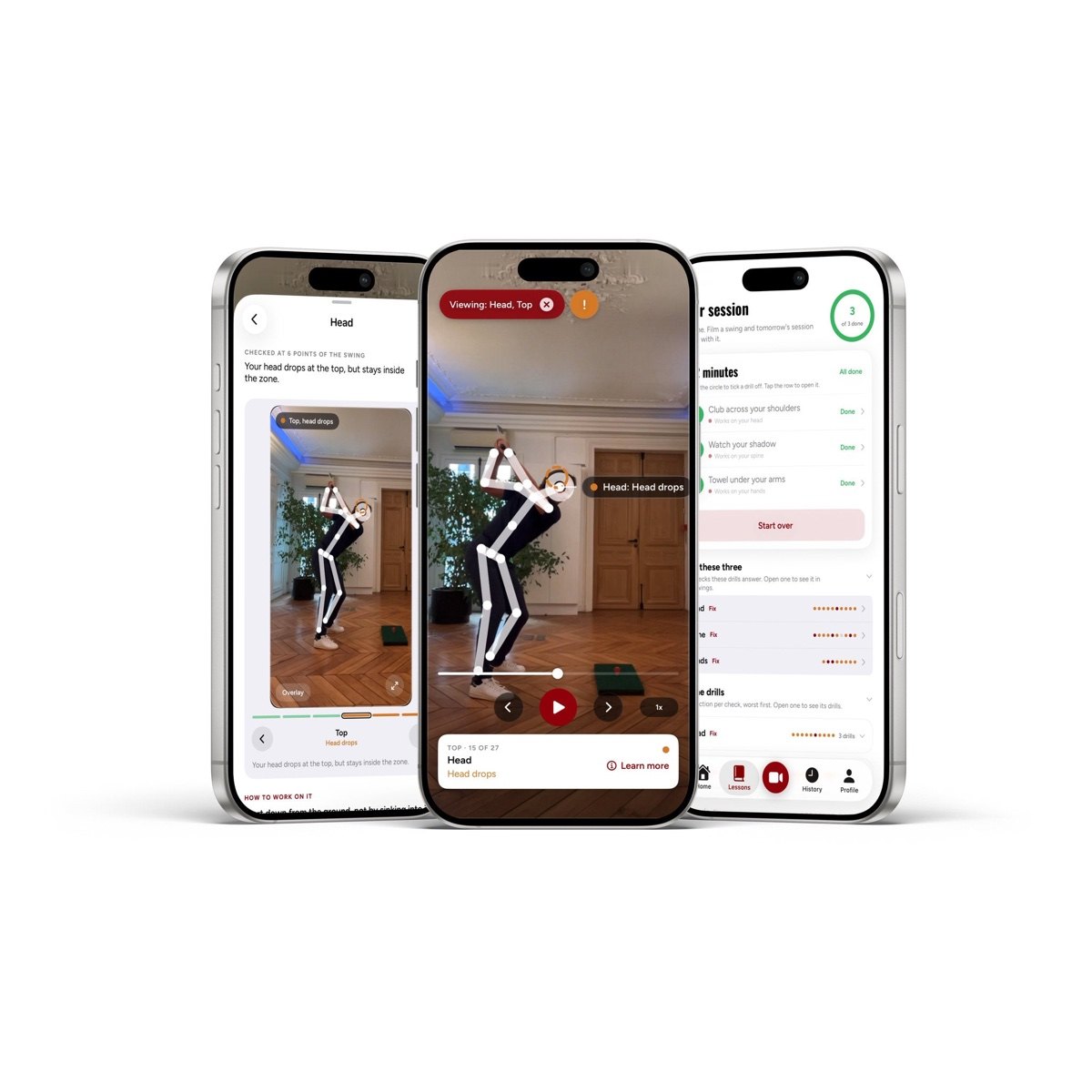
Film your swings, check Your Focus and your faults. 15 minutes a day beats an afternoon at the range.
How the app worksPart II · The app
Film a swing, see what to fix
Chapter 01
Download the app and create your account
Download the app. It is free, on iPhone and on Android.


Create your account. Sign in with Apple or with your email address. Then enter the product code you will find in your box. That is the whole setup.
Scan this code with your phone camera, it opens the download page straight away.
Chapter 02
Set up your phone
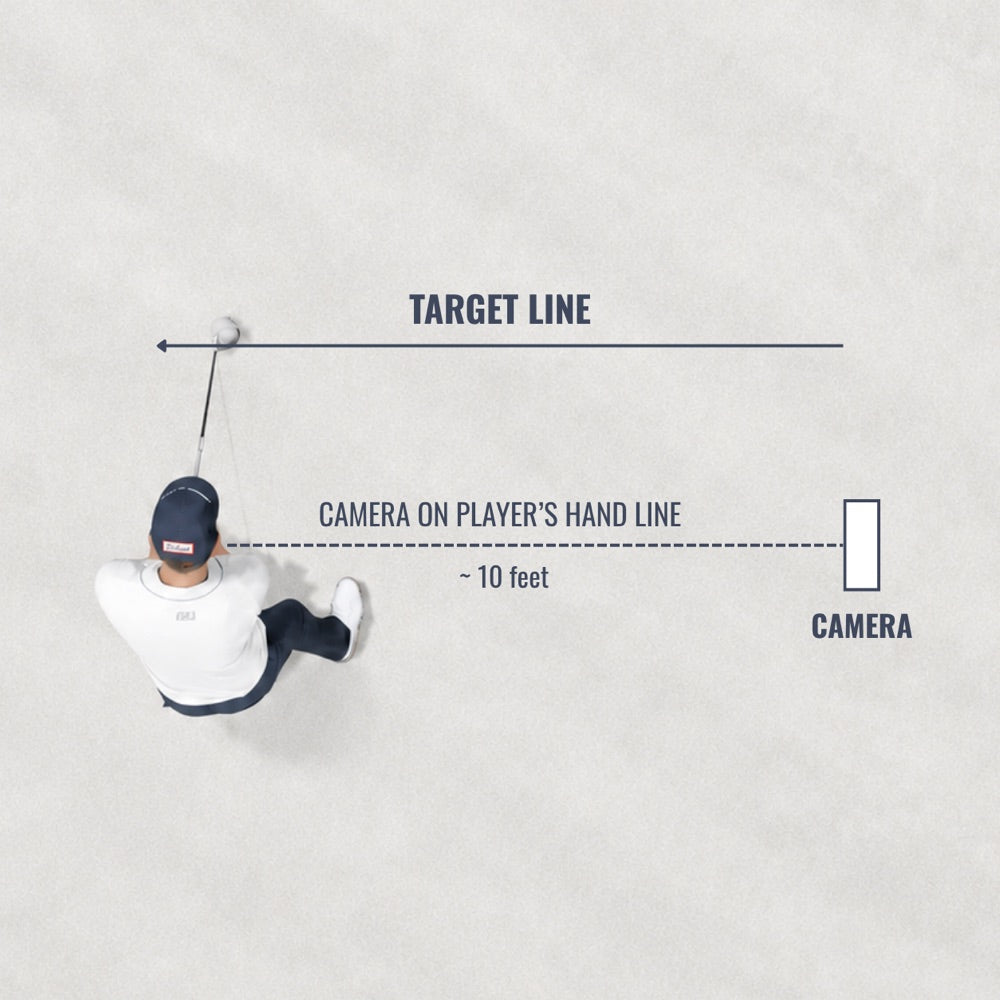
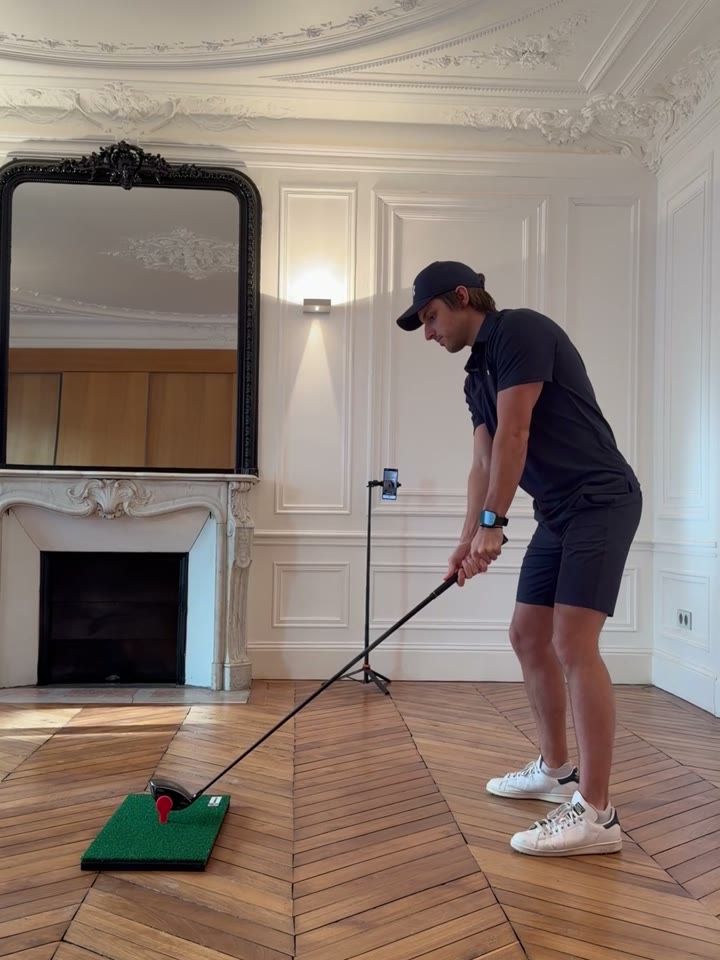
The app reads your swing from the video, so the framing matters more than the phone. It records the down the line view only: the camera sits out on the line of your hands, not in front of you.
Camera at belt height
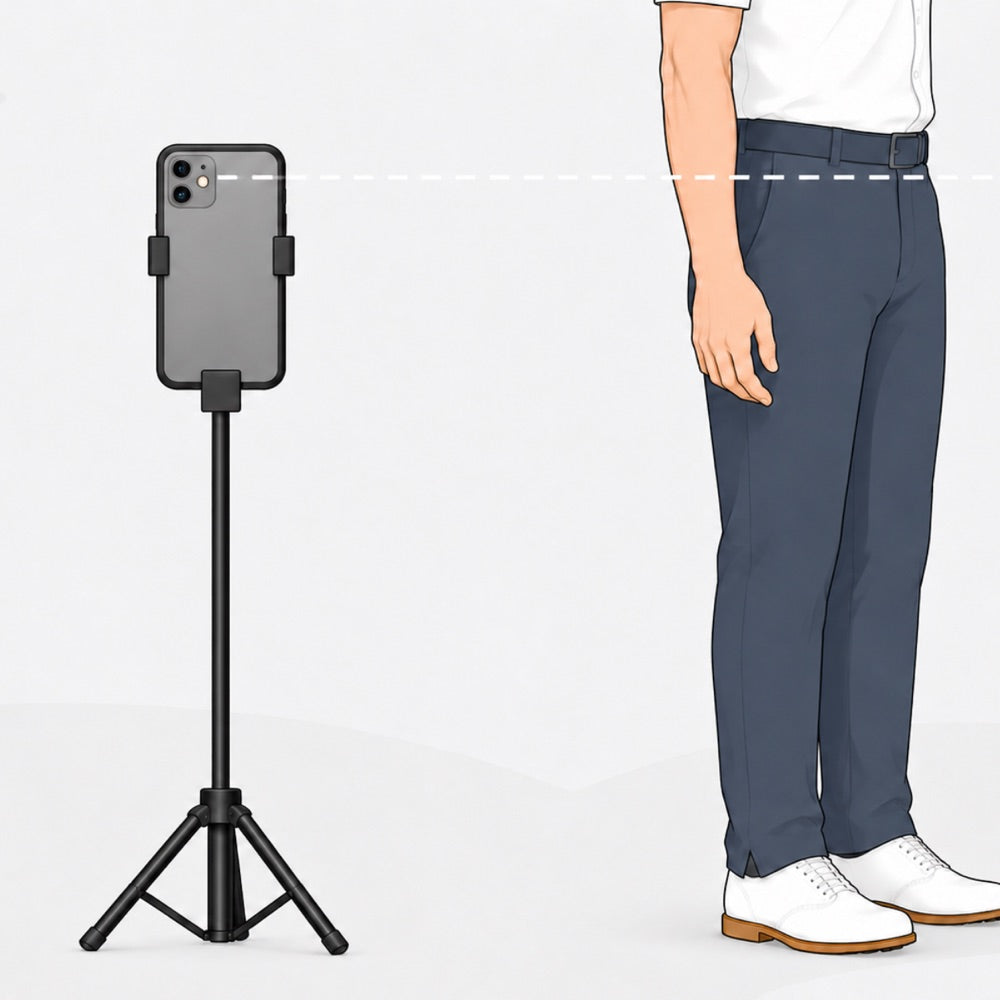
Mount the phone on the tripod and set it level with your belt. Not on the ground, not up at head height.
Stand about 10 feet away
Place the tripod about 10 feet (3 meters) from you, lined up with your hands. If you train with alignment sticks, line the camera up with the sticks.
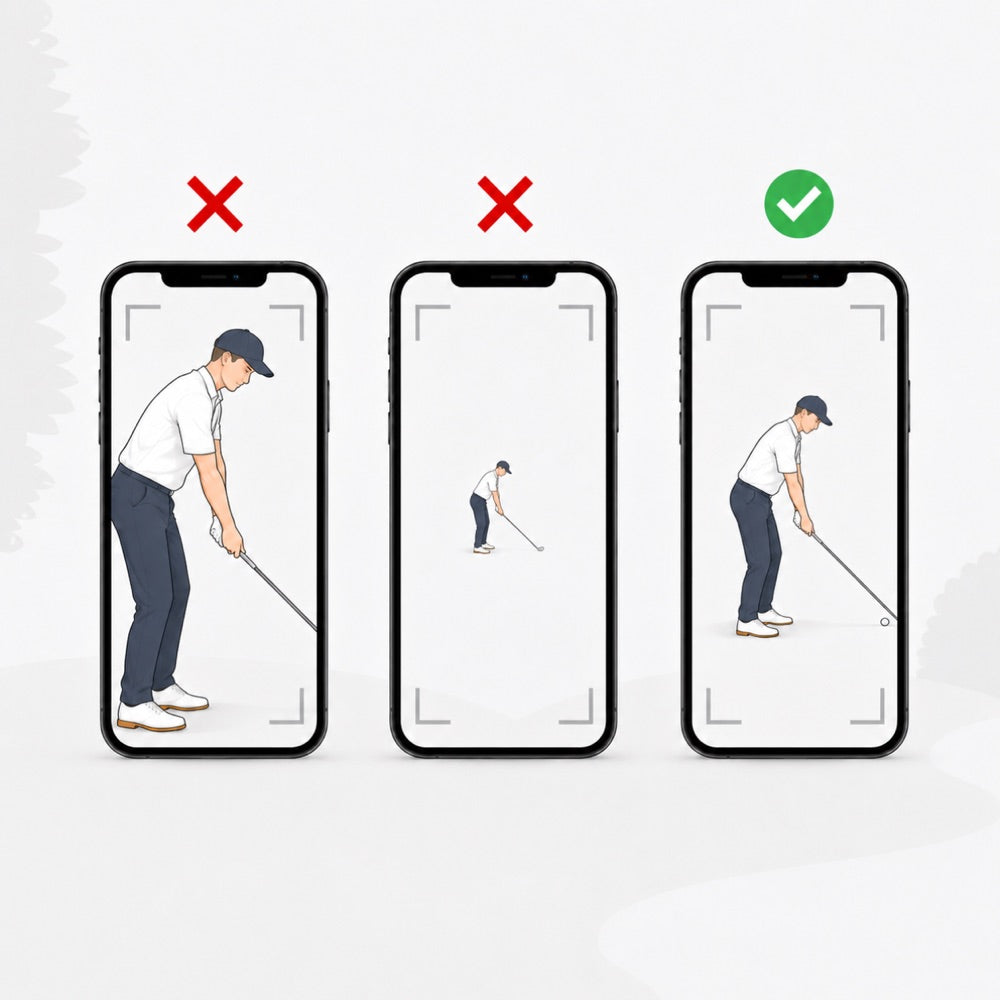
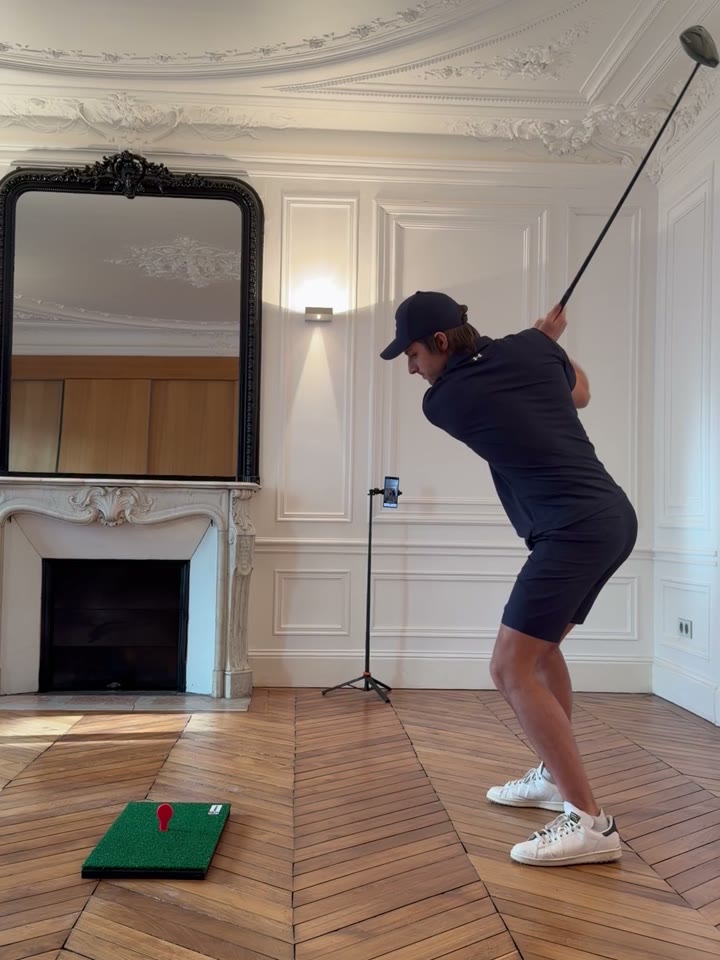
Keep the club head in frame
Play the recording back and watch the club head: it has to stay in frame for the whole swing. If it goes out, step back a little. If you look tiny on screen, you are too far.
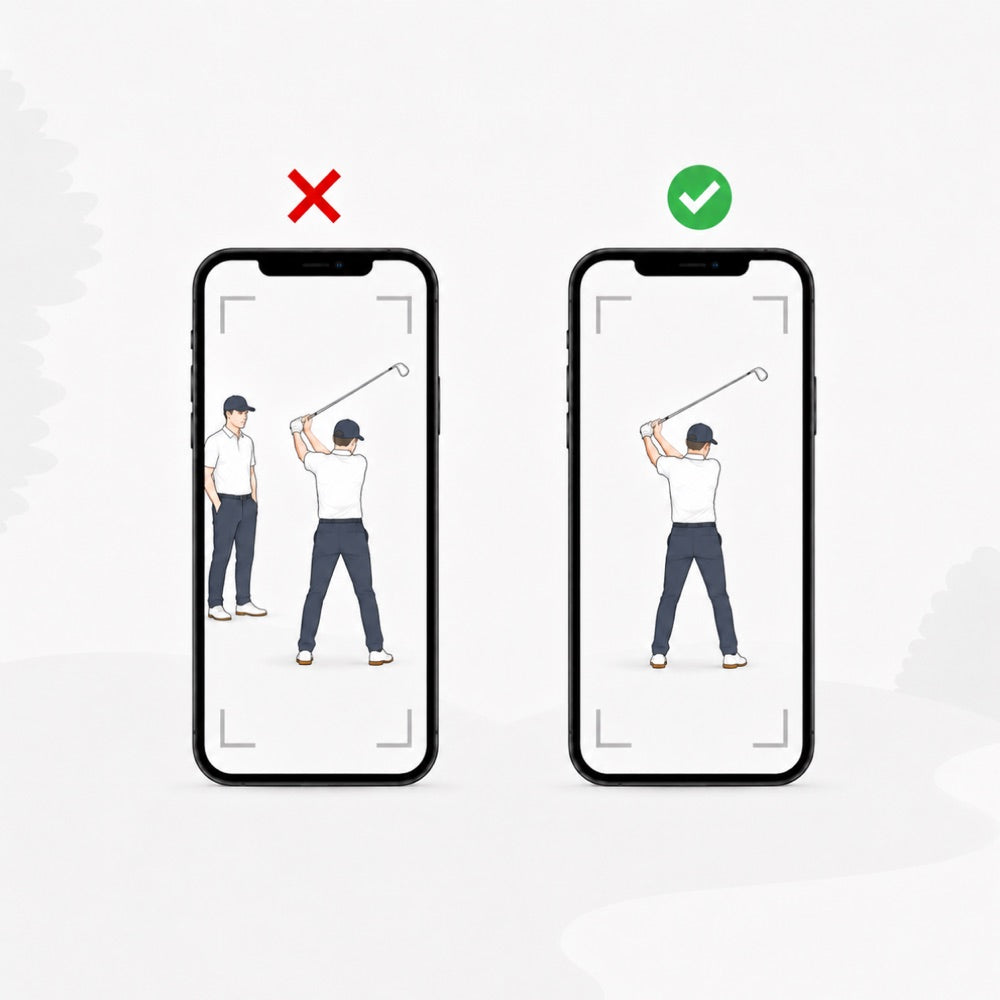
Clear the background
No one else in the shot, and pick a well lit spot. A clean frame is what lets the app track you properly.
Chapter 03
Take a swing
Hit a swing.
Watch the replay and the analysis, and see what you can improve.
Then keep going: the app detects your swings on its own, so you can hit one after another without touching the phone.
Common questions
Something not working? Start here, or send us a message.
Write to us at info@goosegolf.com with the email address you used in the app, and your order number in the body of the message if you have it. We send you a new code within 24 hours.
First go back through the setup steps above: phone at belt height, down the line, and your whole body and the club inside the frame for the whole swing. Bright light behind you also breaks the tracking, turn around so the light is in front of you.
If it still will not pick up your swings, email us at info@goosegolf.com and we will look at your case ourselves.
You are hitting below the center. The target is designed to be hit 2 in (5 cm) above the mat, and pops out on purpose when hit lower. Push it back in and aim a little higher.
No. Lifetime access is included with your trainer, with unlimited swing analysis. There is no monthly fee and no per swing credit.
Yes. The app also analyses swings made with any of your clubs. The idea is to compare: your reps with the trainer at home, and your normal swings on the course, so you can see the progress carry over from one to the other.
Yes, for now. All your swings stay on your own phone for privacy reasons, we do not store anything in the cloud at this stage. Swings recorded on your old phone do not follow you to the new one.
Any recent iPhone or Android phone works. The main thing is free storage: your swings are saved as videos on the phone, so keep at least 2 GB free, more if you can.
Still stuck?
We answer in 24 h
Send us a message with your phone model and what you see on screen.
